
Configure invoice-based purchases
Enable B2B customers to generate Purchase Orders at checkout, and manage order flows, approvals, and payment terms.
The Invoicing Service allows B2B customers to generate a Purchase Order (PO) or an invoice before purchasing your products.
When enabled, customers can select an invoice as their payment method at checkout. FastSpring collects their contact details and PO number instead of immediate payment. Depending on your configuration, fulfillment is delivered either immediately after the invoice is generated or after you manually approve the order.
The sections below explain the configuration options and workflows for invoicing. Select a card or use the TOC on the right to jump ahead.
Contact support to enable the Invoicing Service on specific storefronts.
Configure Automatic or Manual flows to determine when fulfillment is delivered.
Learn how to approve, decline, and manage pending invoice orders.
Configure payment due dates and US-specific check payment options.
View the specific webhook events triggered by invoice transactions.
Enable the invoicing service
To enable the Invoicing Service for one or more stores, you must submit a request to our support team. Please contact FastSpring Support with the following information:
- Store name
- Checkout names where you would like to enable the Invoicing Service
- Preferred order flow:
- Deliver After Payment - Automatic order flow.
- Require Approval - Manual order flow.
Important: Invoices are not available for automatic renewal subscriptions. Consider how to Set up manual renewal subscription instead.
Order flows
The order flow you select during setup determines the customer experience. This configuration controls whether FastSpring automatically delivers fulfillment after payment or requires your manual approval of the purchase order first.
Automatic Order Flow
In the Automatic Order Flow, FastSpring handles payment prompts and fulfillment automatically after the customer generates the invoice.
- Generation: When a customer generates an invoice, FastSpring prompts them to pay or print the invoice and emails them payment instructions.
- Payment: When the customer clicks Pay Now, FastSpring applies their name, email, zip code, and PO number to the order. The customer then adds payment information to complete the purchase.
- Fulfillment: FastSpring sends the receipt and fulfillment immediately after payment.
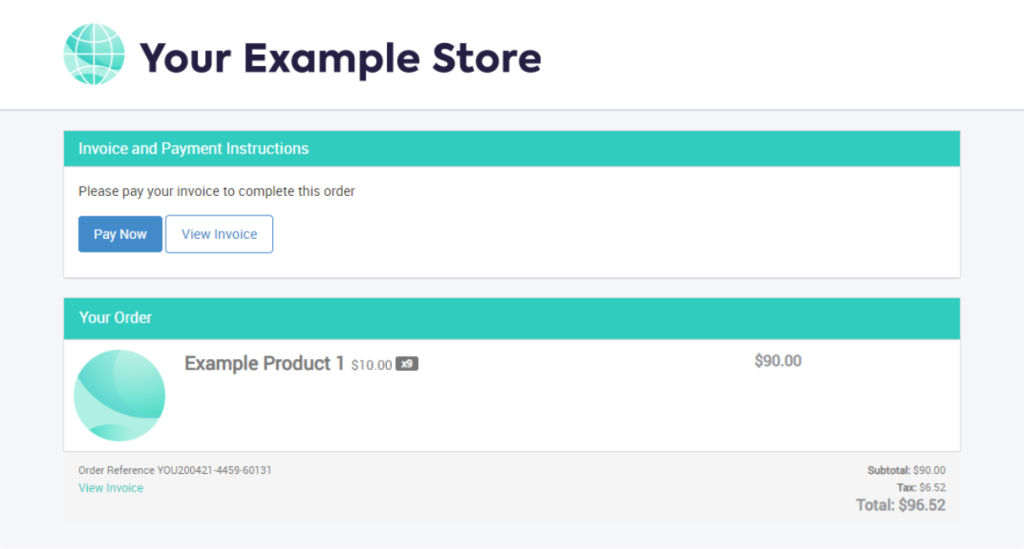
Note: After completing the payment, the customer can still see and print the invoice, but the Pay Now button disappears.
Manual Order Flow
The Manual Order Flow is designed for greater control, requiring your approval for each order before the customer can make a payment.
- Review: When an invoice is generated, FastSpring notifies the customer that their order is Under Review. They cannot pay until you approve the order.
- Action: You must approve or decline the request in the FastSpring App.
- Decline: FastSpring cancels the pending order.
- Approve: You can choose to deliver fulfillment immediately or wait until payment is received.
- Notification: Upon approval, FastSpring sends a Payment Instructions notification to the customer, containing a link to pay and a link to view their invoice.
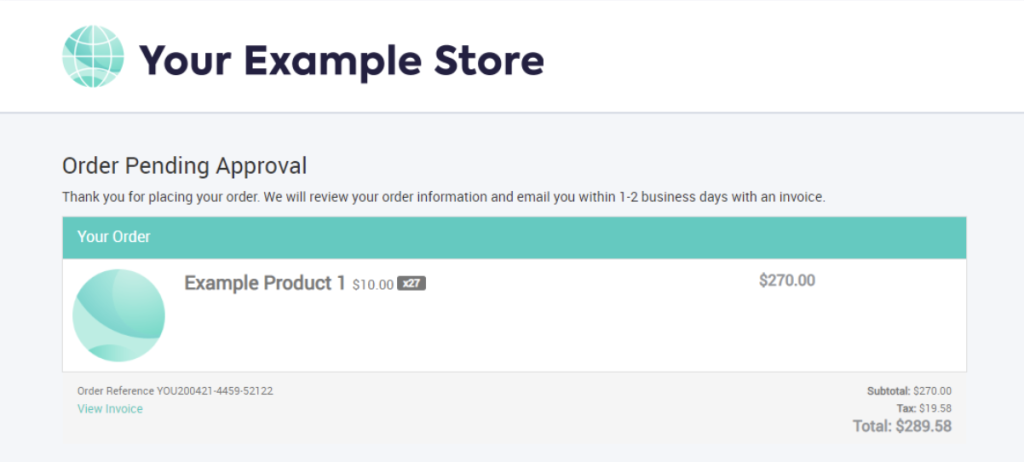
Approve or decline an invoice order
If you use the Manual Order Flow, you must manage pending orders via the FastSpring app.
- In the FastSpring app, go to Sales > Orders > Pending Approval. This page displays all pending invoice orders.
- Select the order (or search by PO number).
- On the order details page, select an action:
- Decline the order: Click Options > Decline. This sends a decline notification to the customer.
- Approve and deliver the fulfillment immediately: Click Approve – Deliver Before Payment. FastSpring sends the customer an email containing a link to their invoice and fulfillments.
- Approve and deliver the fulfillment after you receive payment: FastSpring will send the customer an email with a link to the invoice. After they pay, FastSpring sends a fulfillment email.
Payment terms
By default, FastSpring sets a payment due date of 45 days after the invoice is generated. We allow an additional 30-day grace period following this date. If the customer does not submit payment within the total 75-day window, FastSpring automatically cancels the pending order.
To change the due date to any value between 14 and 90 days, please contact our support team.
Customers in the United States can also pay their invoices by check or money order. Instructions for this method are automatically displayed to eligible customers, and FastSpring will complete the order once the payment is processed.
Webhook events for invoice transactions
The following webhook events fire for invoice transactions. The order.approval.pending event is the only webhook unique to the invoicing flow.
| Webhook Event | Description |
|---|---|
| account.created | Sends when a customer places an invoice order with an unrecognized email address (creates a new account). |
| mailingListEntry.updated | Sends when a customer places or abandons an invoice order after inputting their email address. |
| mailingListEntry.removed | Sends when an existing account deselects the newsletter checkbox when placing their PO. |
| order.approval.pending | Manual Flow Only: Sends when a customer places a PO that requires approval. FastSpring sends the Order Approval Pending notification. |
| order.payment.pending | Sends after you approve a pending PO, or when a customer places a PO in the Deliver After Payment flow. FastSpring sends the Payment Required notification. |
| order.canceled | Sends when you decline a pending invoice order. FastSpring sends the Order Canceled notification. |
| order.completed | Sends when a customer adds their payment information to a purchase order. FastSpring sends the Default Order Receipt notification. |
| order.failed | Sends when the customer’s payment transaction is declined. |
| payoutEntry.created | Sends when the customer successfully completes their transaction. |
Updated 9 months ago